


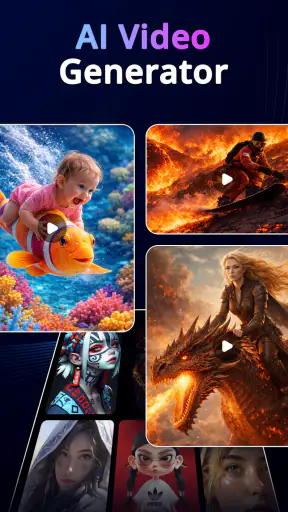
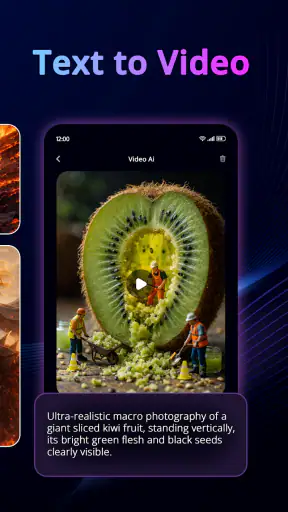
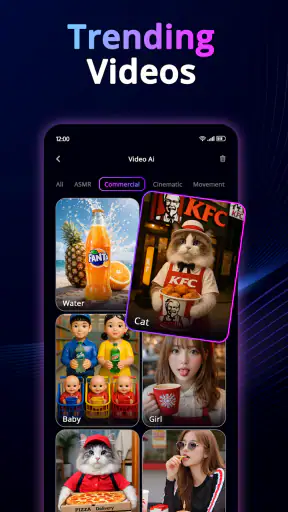
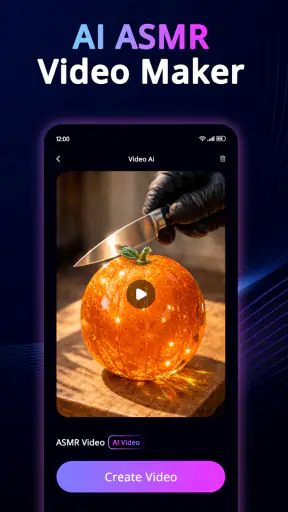
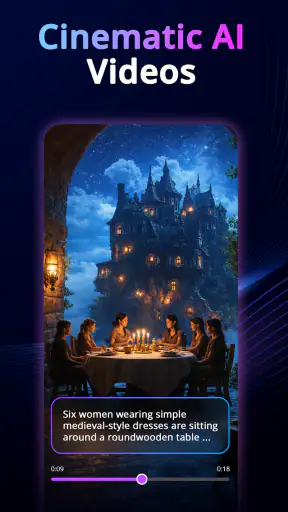
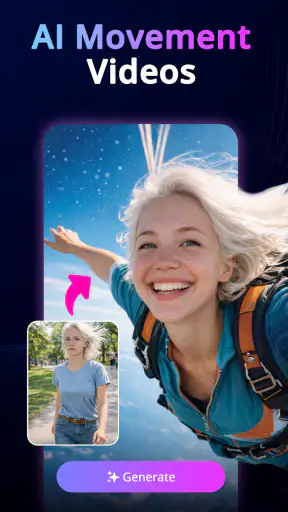
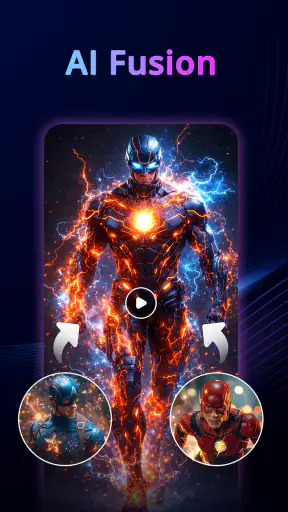
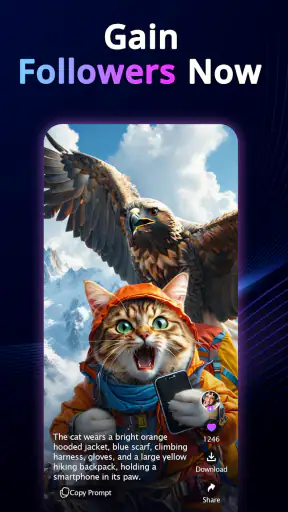
I tested AI Video Generator: 3D AI Mix as a quick creative tool for turning words and still images into short AI-assisted videos. My first impression was that it is aimed at people who want a visual result without learning a full editing program. You can start with an idea, add an image when you have one, and experiment with effects and three-dimensional styles instead of building every movement by hand.
That makes it interesting for casual creators, social posts, mood boards, small promotional clips, and family projects where several people may want to try the same device. It is also easy to misunderstand what kind of app this is. I would not treat it as a complete replacement for a timeline editor, a camera app, or a professional motion-design package. Its value is in fast experimentation: describe a scene, see what the system produces, then decide whether the result is useful enough to share or take into another editor.
The app comes from AI Tech Labs and belongs to the Art & Design category. It is free to install, with optional purchases ranging from around two dollars to around thirty-seven dollars per item. That combination is convenient for trying the basic workflow, but it also means I would establish a clear spending boundary before letting someone else use it on a shared phone or tablet.
How it works when several people share one device
A practical household scenario
A realistic use case is a weekend project in which one person has a photo of a pet, another has an idea for a fantasy setting, and a third person wants to see what a three-dimensional effect might look like. Instead of passing around a complicated desktop editor, everyone can take turns creating a small visual experiment. One person writes the prompt, another chooses the image, and someone else judges whether the movement feels natural.
I like this kind of use because it changes the app from a solitary generator into a simple creative activity. The person who is comfortable writing prompts can help with the wording, while the person with better visual judgment can decide which result is worth keeping. It is especially useful when the goal is not a polished film but a quick birthday greeting, a playful transformation of a landscape, or a concept to discuss before making something more carefully.
The important limitation is that the app should not be confused with a shared project workspace. On a common device, people need to coordinate manually. I would save or export anything worth keeping before the next person starts experimenting, and I would avoid assuming that a later user will understand which images or drafts belong to someone else. That small habit prevents the most common shared-device problem: a creative test being mistaken for the final version.
What to prepare before the first generation
The smoothest sessions begin with a clear idea rather than a vague request such as “make this amazing.” I get better direction when I describe the subject, the setting, the mood, and the kind of movement I want. For example, a still image of a street can be approached as a slow cinematic reveal, a lively 3D scene, or a surreal transition. Those are different creative goals, and stating one of them gives the generator a more useful starting point.
Images also benefit from a little preparation. A subject that is clearly visible and not crowded by unrelated objects gives the effect more room to work with. I would crop out accidental background clutter before importing a picture, particularly when the image is being used for a family project or a post intended for other people to see. This is not about making the source perfect; it is about reducing distractions that can become more noticeable once motion and effects are added.
A useful workflow is to make small changes between attempts. If I change the wording, the source image, the style, and the movement all at once, I cannot tell which decision improved or weakened the result. Keeping most elements stable while testing one change at a time makes the app feel less random and helps a shared group agree on what actually worked.
Keeping personal boundaries clear
On a household device, I would separate creative material as carefully as possible. Personal photos, school work, business images, and casual experiments should not be mixed without thought. The app is designed around visual creation, so the temptation is to import whatever is immediately available. That convenience can lead to someone using a private picture simply because it is already in the gallery.
I recommend agreeing on a simple rule before sharing the device: ask before using another person’s photo, and do not treat a generated clip as suitable for public posting just because it looks entertaining. A transformation can change the tone of an image, and a harmless joke to one person may feel embarrassing to another. The app makes experimentation easy, but it cannot replace consent or common sense.
Account boundaries deserve the same attention. If the device is used by several people, I would check who is signed in before starting and who might be able to access the resulting material afterward. I would also review the purchase flow before handing the device to a child or a guest. The free entry point is helpful, but optional purchases mean that “free to install” should not be treated as “nothing can be bought.”
Coordinating generations without wasting time
AI video tools can encourage endless tapping because each new attempt feels like it might be the perfect one. In a shared setting, that becomes frustrating quickly. I get better results by giving each person a defined role: one person prepares the prompt, one checks the source image, and one evaluates the output. After a few attempts, the group chooses a direction instead of regenerating without a plan.
Another helpful habit is to describe the desired motion before discussing visual decoration. Effects and 3D styling can attract attention, but they do not fix a weak concept. If the subject should move toward the viewer, rotate, drift, or remain mostly still, that decision matters more than adding another flashy treatment. Once the movement feels appropriate, the style becomes a finishing choice rather than a distraction.
I would also keep a short written note of the prompt that produced the best result. This is particularly useful when several people are testing the app because memory becomes unreliable after multiple variations. A note can include the main subject, the mood, and the movement that seemed successful. It gives the group a starting point for a second session instead of forcing everyone to guess what was tried previously.
Age, trust, and where the app fits
Suitable for broad everyday use, with adult guidance for purchases
The listed content rating is Everyone, which fits the app’s general creative purpose. I can imagine it working for a wide range of users who enjoy images, short videos, and visual storytelling. Still, an age label does not answer every practical question for a household. Younger users may need help writing prompts, choosing appropriate source material, understanding what an AI-generated result represents, and recognizing that a generated scene is not evidence that something happened in real life.
For children, I would focus on supervised creativity rather than unrestricted experimentation. A parent or older sibling can help select neutral images and explain why a person’s photo should not be altered or shared without permission. This is also a good opportunity to teach that an attractive result may contain visual mistakes. Faces, hands, text, and objects can look convincing at first glance while still being wrong in small but important ways.
Trust matters for adults, too. I would not use the app as the final step for a sensitive announcement, an important business message, or anything that depends on exact visual accuracy without checking the result closely. The quick, imaginative nature of the tool is its strength, but it is also why the output should be reviewed before anyone treats it as finished communication.
What the free entry point is good for
Because the app is free, I think the best first session is exploratory. Try a few text ideas, test an image that is safe to use, and pay attention to how the requested style changes the result. This tells you whether the visual language suits your taste before you consider any optional purchase. I would not spend immediately just because one attempt is disappointing; first adjust the prompt and simplify the scene.
The purchase range suggests that more ambitious or repeated use may become a paid decision. I would approach that as a budget question, not as a guarantee of quality. Set a limit in advance, especially on a shared device, and make sure everyone knows whether a purchase is allowed. A household can enjoy the free experimentation while still avoiding accidental spending caused by curiosity.
There is also a practical difference between making a one-off clip and relying on the app for regular content. Someone who only needs an occasional animated image may find the free starting point sufficient. Someone producing frequent videos should compare the ongoing cost and workflow with a conventional editor or another AI service before building a routine around it. The faster process is valuable only if the results and spending remain acceptable.
Where it beats ordinary alternatives
Compared with a traditional mobile video editor, AI Video Generator: 3D AI Mix removes much of the manual work involved in creating movement from a still image. In a normal editor, I would need to choose a canvas, place the image, add keyframes or motion effects, adjust timing, and refine the look. Here, the appeal is that a description can guide the transformation more directly, making it easier to test an idea that would otherwise take several editing steps.
It also has a different advantage over ordinary slideshow makers. A slideshow mainly changes how images appear one after another, while this app is intended to make an individual image feel more animated and stylized. That distinction makes it a better fit for a visual concept, a dramatic reveal, or an imaginative transformation than for a simple album of family photos.
However, a conventional editor remains better when I need exact timing, reliable text placement, detailed audio work, or precise control over every frame. AI generation is convenient, but convenience can come with unpredictability. If a client needs a logo to remain perfectly readable or a product to keep its exact shape, manual editing is usually the safer choice. I see this app as a front-end idea generator or a fast creative shortcut, not as the strongest tool for technical precision.
Three less obvious ways to get better results
First, I would use the app to create visual direction before opening a larger editing program. A rough AI clip can answer questions that are difficult to settle with a static image: should the camera feel close or distant, should the subject appear calm or energetic, and does a 3D treatment add anything? Even when the generated result is not final quality, it can help a group agree on the intended mood.
Second, I would deliberately test a restrained version before choosing the most dramatic effect. Strong 3D styling may be attractive in a preview but can overwhelm the subject, especially when the original image already has a busy background. Comparing a subtle treatment with a bold one reveals whether the effect is supporting the idea or merely covering weaknesses in the source.
Third, I would create separate prompt families for different purposes instead of endlessly modifying one sentence. A family-photo experiment, a fantasy illustration, and a product concept have different priorities. Keeping those goals separate makes it easier to judge the results fairly and prevents a prompt designed for a surreal scene from producing an unsuitable tone for a personal greeting.
The friction I noticed and who should skip it
The main trade-off is control. The app can turn a simple idea into something visually interesting, but the exact behavior may not match what I imagined. That uncertainty is acceptable when I am exploring, yet it becomes tiring when I need repeatable results. Users who prefer to adjust every transition, movement, and layer manually may feel restricted and would probably be happier with a full editor.
I would also skip it as a primary tool if my work depends on consistent branding, accurate typography, or a carefully timed narrative. The app’s focus on AI-generated visual effects and 3D styles is more suited to atmosphere and experimentation than to exact production specifications. It can contribute an opening idea or a background visual, but I would not make it responsible for details that cannot be allowed to drift.
Another reason to look elsewhere is if the household wants a clearly organized collaborative environment. This app can support people taking turns on one device, but coordination still depends on the users. A dedicated shared workspace or a regular editor with clearer project management would be a better fit for a team that needs orderly ownership, version history, and predictable handoffs.
Performance expectations and version context
The current version is 1.3.9, and the app requires Android 7.0 or later. That makes it relevant to many Android users, including people who are not carrying the newest phone. Even so, AI video creation can be more demanding than ordinary image editing, so I would keep expectations realistic on older hardware. A device that handles basic apps comfortably may still feel less responsive during generation or preview work.
Before a shared session, I would close unrelated apps, make sure the device has enough free space for the images and results I want to keep, and avoid starting with a large batch of experiments. These are simple precautions, but they matter more when several people are waiting for a turn. A short, organized test is more enjoyable than filling the device with near-identical attempts.
The app has passed five million installs and holds an average rating of 3.7 from around seven thousand ratings, with ninety-one written reviews. Those figures suggest that it has attracted substantial interest while still producing mixed reactions. I read that combination as a reason to try it personally rather than assuming the store presence guarantees a perfect experience. The right question is whether its fast, stylized workflow matches the kind of control you expect.
My household verdict
After using it as a creative experiment, I would recommend AI Video Generator: 3D AI Mix to households that enjoy trying visual ideas together and do not need every detail to be exact. It is approachable for a quick session, useful for turning a prompt or image into something more animated, and more engaging than a basic slideshow when the goal is mood or transformation.
I would introduce it with three boundaries: use only images that everyone has agreed to use, save worthwhile results before another person begins, and decide in advance whether optional purchases are allowed. Those rules are not complicated, but they make the experience more comfortable on a shared device. They also help younger users understand that creative freedom still includes responsibility toward the people and pictures involved.
For an individual who wants fast AI visuals, the free installation makes trying the workflow straightforward. For a careful editor, a professional creator, or anyone who needs dependable frame-by-frame control, a standard editing app will remain the better choice. My own recommendation is therefore specific: choose this app when the fun lies in discovering what a prompt and image can become, and choose another tool when the final result must obey a precise production plan.
Overall, I see it as a playful bridge between a text idea and a short visual concept. Its best moments come from clear prompts, suitable images, and a willingness to accept a little unpredictability. Used that way, it can turn a shared device into a small creative studio without demanding advanced editing knowledge. Just keep the account, image, and spending boundaries clear, and judge each result before treating it as ready to share.


